New Husarion OS release for ROSbot 3/XL

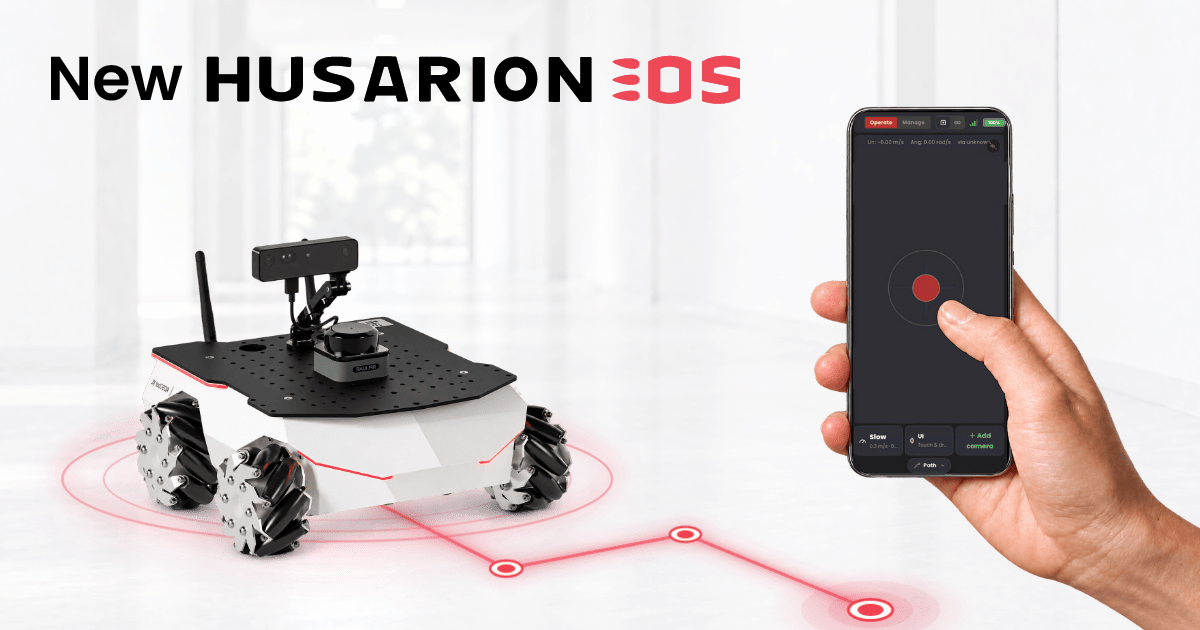
A new Husarion OS build (2026.09.30) is rolling out now. It's the biggest update to what ships out of the box since the last release in August 2025, and ROSbot 3 and ROSbot XL owners will feel it the most:
- Husarion Cockpit adds a web panel for driving and managing the robot: teleop with a live camera view, ROS 2 configuration, and robot state at a glance, all from a phone or laptop.
- Nav2 built into the
rosbotsnap means no separate demo repo to clone, so you can go from unboxing to autonomous navigation in minutes. - Ubuntu 24.04 support for Jetson: the latest Tegra/L4T kernel (
39.2.1) moves the Jetson Orin image to an Ubuntu 24.04 base, which brings ROS 2 Jazzy natively. - The latest ROSbot drivers and snaps: this build ships on top of the latest
rosbot_rosdriver, so ROSbot's sensors pick up their ROS 2 config on their own. Set it once on the robot, and every chained LiDAR or camera follows. See the driver release post for namespaces, Zenoh, and the firmware rewrite. - A handful of smaller quality-of-life fixes: easier login without remembering an IP, full sensor integration out of the box, and more.
Husarion Cockpit
It's a web panel for operating a Husarion robot from your phone or laptop: driving it, watching its sensors, reading logs, and managing its configuration.
Operate is the tab for when you just want to use the robot: a live camera feed, an on-screen joystick, battery status, and diagnostics at a glance.
Manage is where it earns its keep once a robot has more than one computer talking ROS 2: the robot itself, plus its LiDAR and camera, each running their own piece of the graph. Change the domain ID, namespace, or DDS/RMW profile once, and it cascades to every connected device automatically.
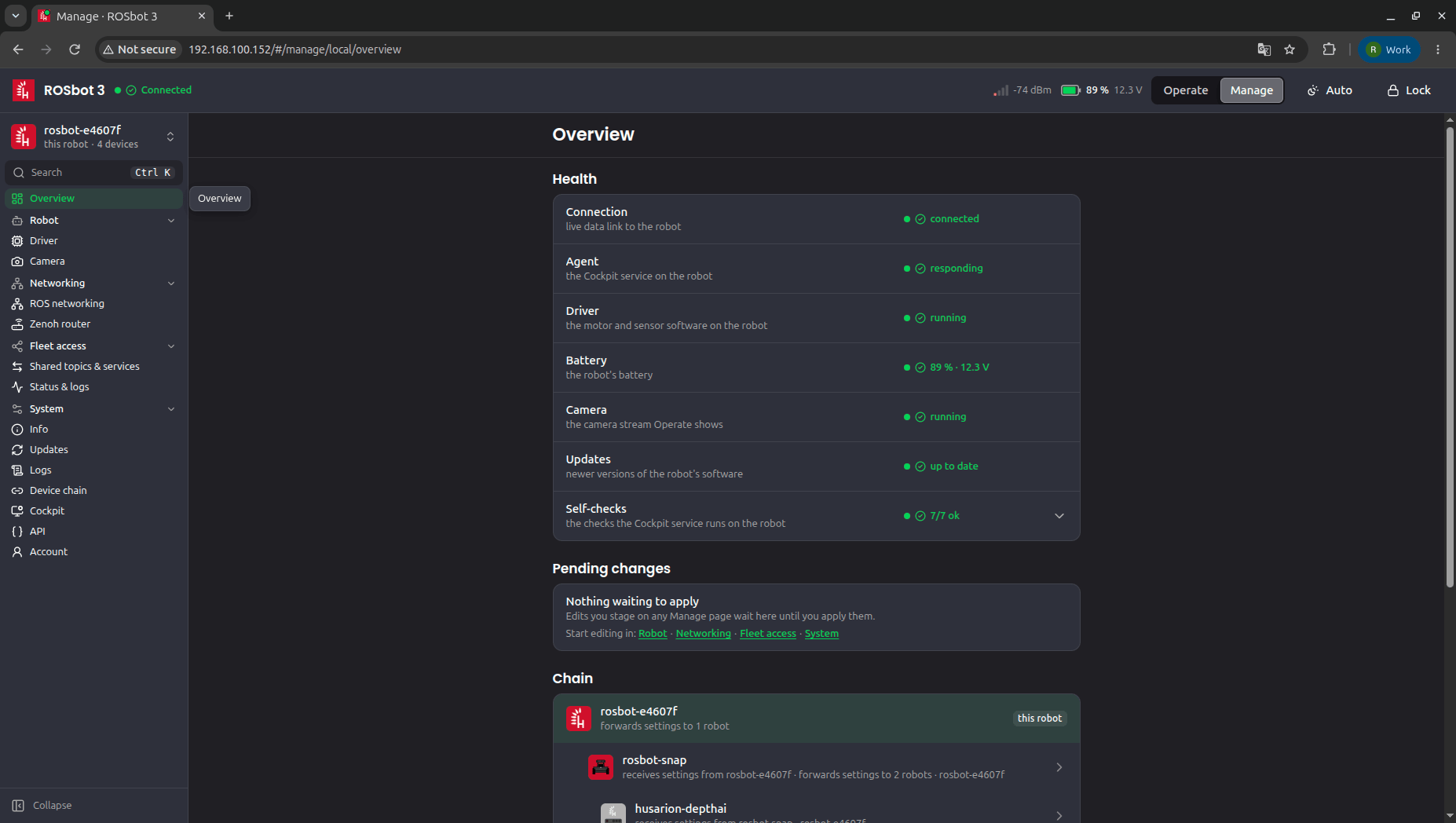
The practical upshot: the "wait, is the camera still on the old domain ID?" bug (the one that costs an afternoon to track down) stops happening, because there's no longer a second or third place for the setting to drift. And it's genuinely comfortable on a phone: the moments you actually reach for Cockpit are rarely the moments you're sitting at a desk with a laptop.
One config that actually stays in sync
The cascading you just saw in Cockpit's Manage tab starts in Husarion OS itself. The OS owns the robot's ROS 2 environment (domain ID, namespace, RMW) and hands it to the rosbot snap, which passes it on to its accessories. Install husarion-rplidar or husarion-depthai alongside rosbot, and they connect automatically, with no separate pairing step. Change a setting in Cockpit, and it cascades to every accessory attached to the robot.
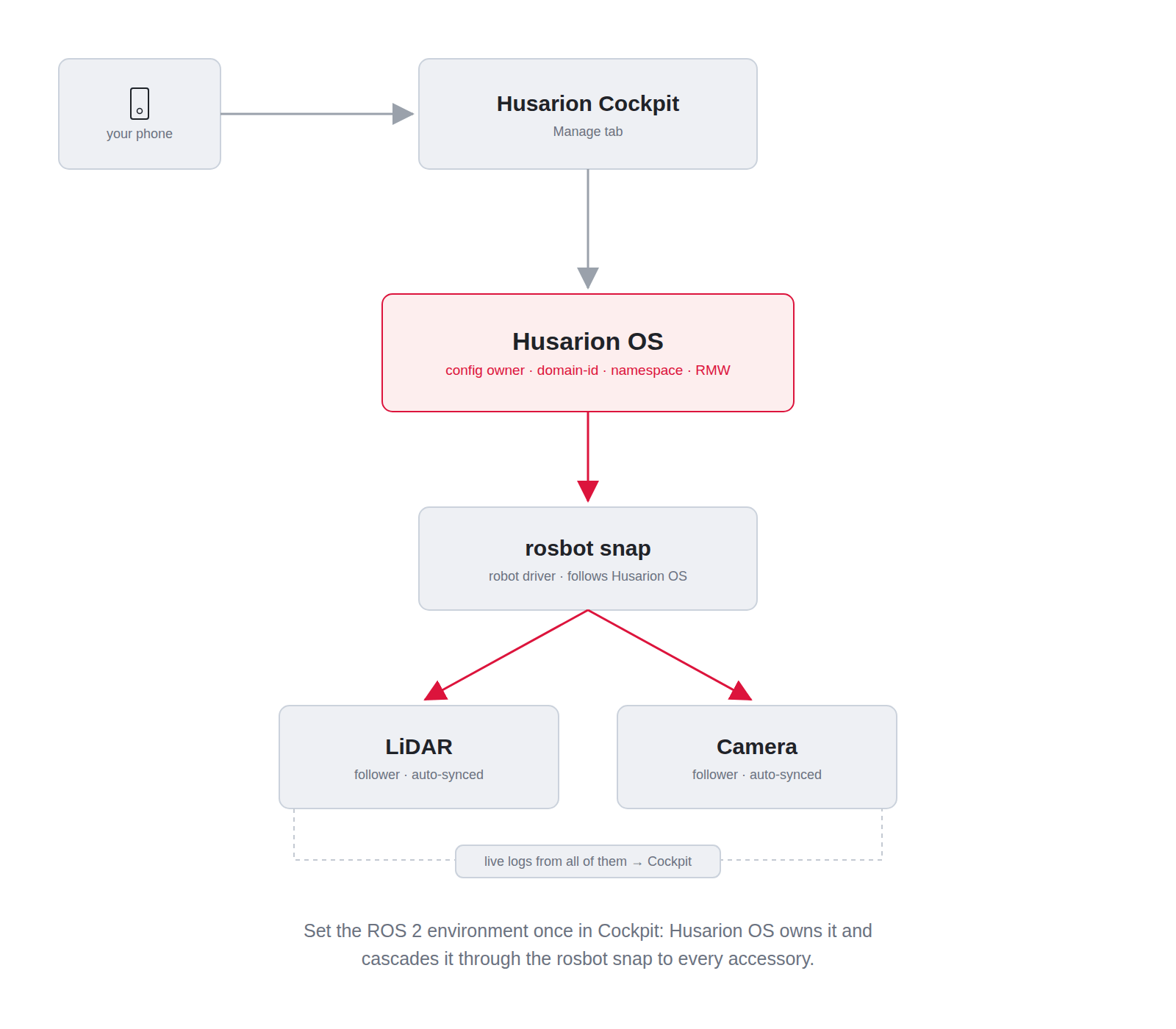
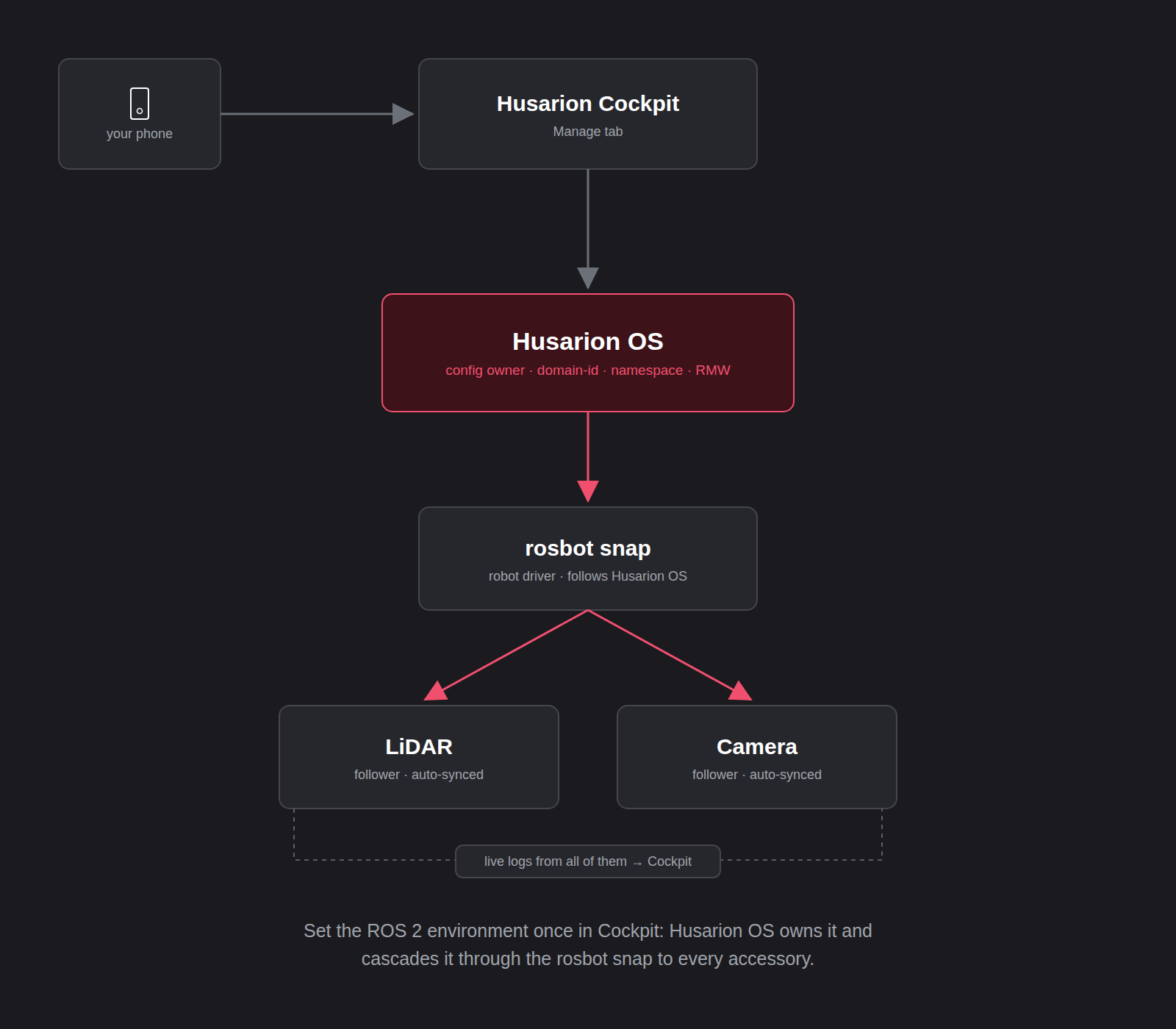
Every chained LiDAR or camera then picks up the same namespace and transport shortly after, with nothing to repeat by hand on each accessory. This is part of the latest changes in the rosbot snap, covered in more depth in the driver release post.
Updates from the browser
Manage › Updates lists the rosbot, LiDAR and camera snaps plus Cockpit itself, each with its running and available version. The robot checks in the background, but never installs anything on its own: hit Update, confirm with the admin password, and if the robot doesn't come back healthy within 90 s, it rolls back by itself.
Nav2 in the box
Up to now, autonomous mapping and navigation meant cloning a separate demo repo, building it, and keeping it in sync with whatever the robot driver expected. That step is gone. The rosbot snap now bundles Nav2, SLAM Toolbox, and laser_filters directly, wired up to the robot's own LiDAR and odometry.
With husarion-rplidar installed, starting it is one command:
sudo rosbot.navigation-start
sudo rosbot.navigation-goal <x> <y> [yaw] #sends the robot to a point on the map.
The RViz window in the video isn't running on the robot — it's a separate visualization tool you'd run on your own laptop, once your network/ROS 2 setup lets it see the robot's topics. The config used is nav2.rviz:
rviz2 -d nav2.rviz --ros-args -r /tf:=tf -r /tf_static:=tf_static -r __ns:=/rosbot_<serial>
Ubuntu 24.04 support for Jetson
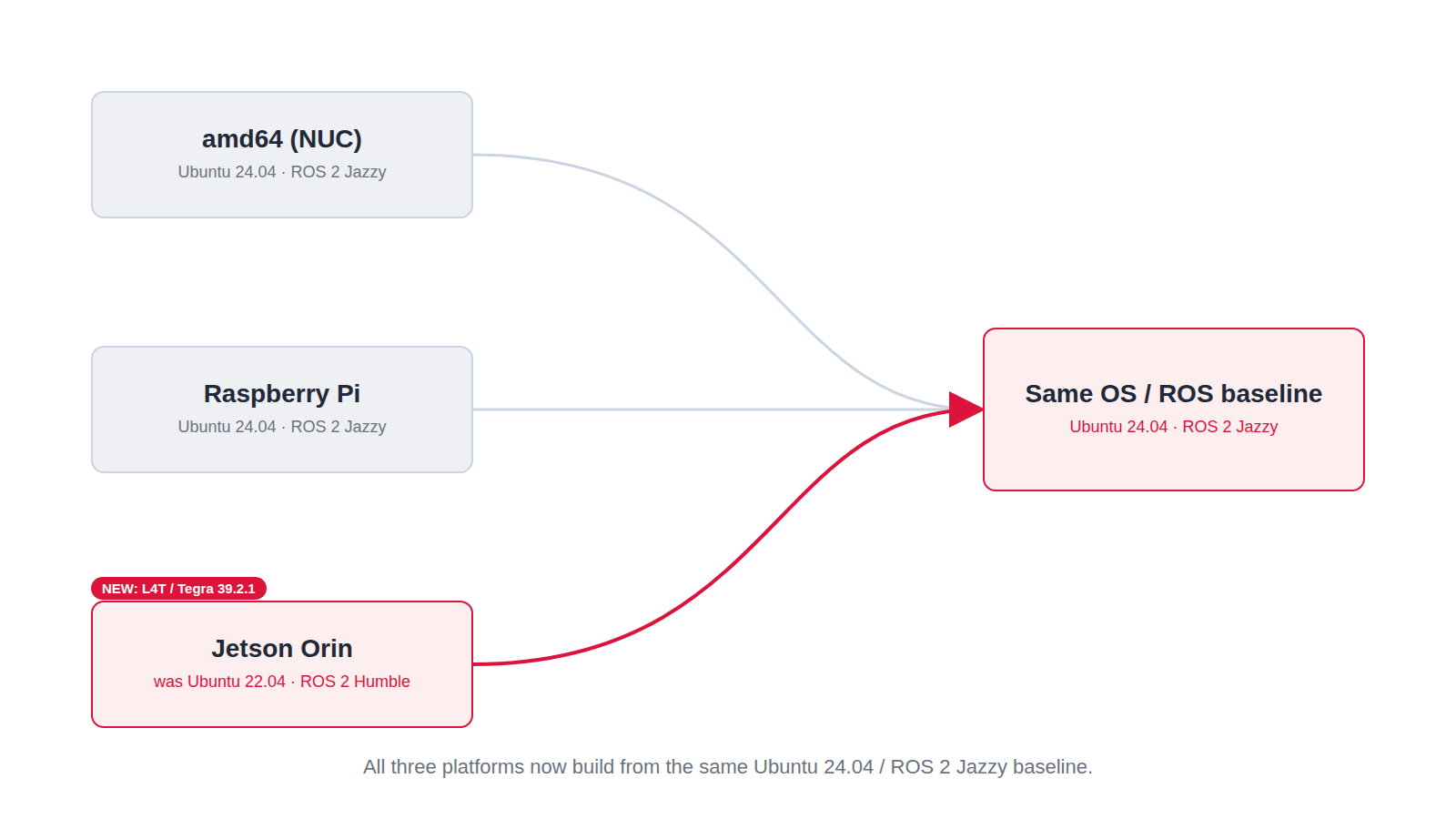
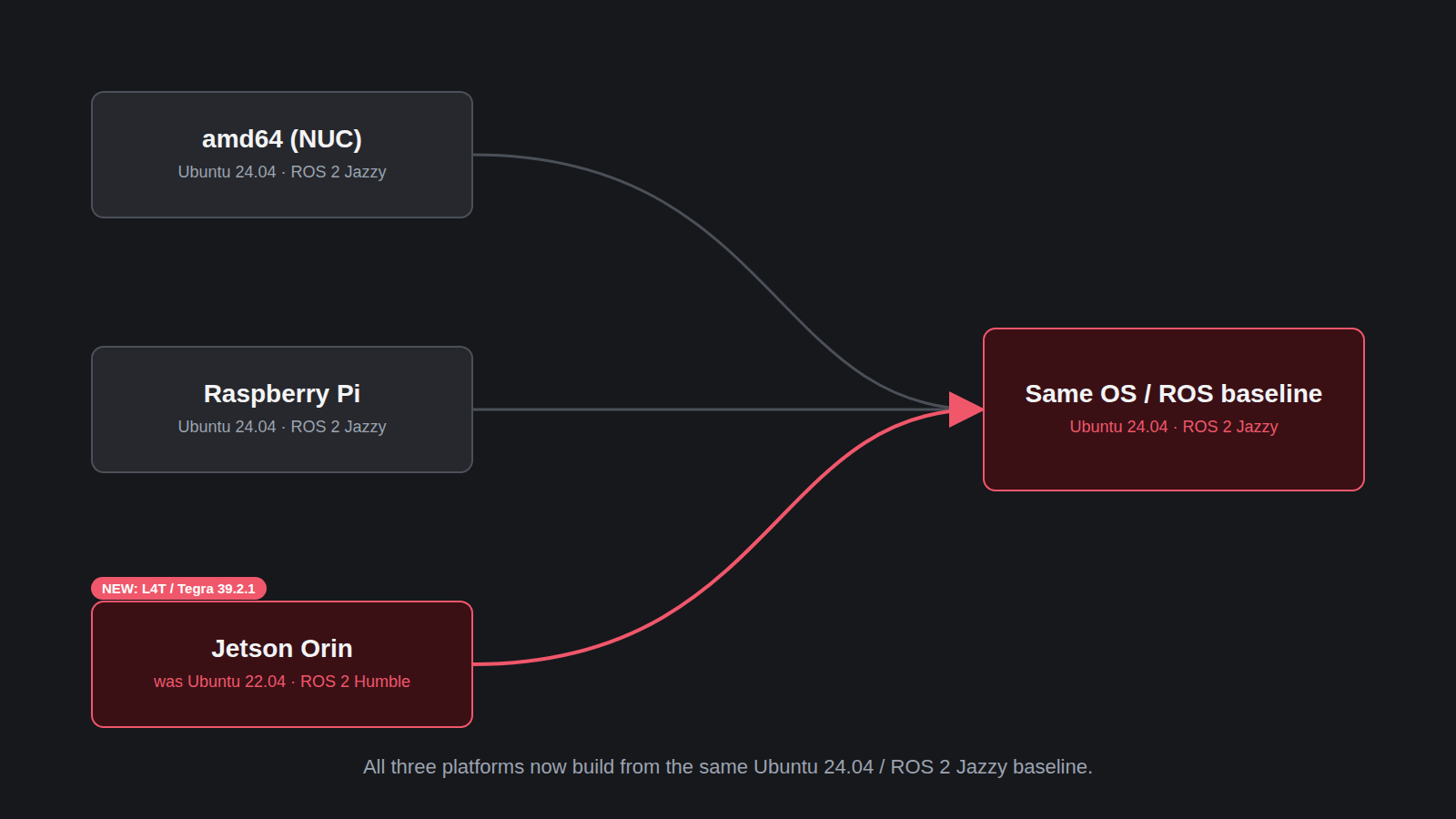
Husarion OS now builds for Jetson Orin platforms on the latest Tegra/L4T kernel (39.2.1), which moves the image to an Ubuntu 24.04 base and brings ROS 2 Jazzy natively, alongside the existing amd64 and Raspberry Pi images. See the ROSbot Jetson image on the installation page.
Also in this release
A handful of smaller changes worth knowing about:
-
Full sensor integration, right from the first boot. Just tell the setup wizard which configuration your robot was purchased in, and every sensor for that configuration works immediately: nothing else to install or configure.
-
ZED-M support. The ZED-M camera works right after installation. Because of its tight GPU integration, it runs as its own native service on the robot image rather than a snap, but that's an implementation detail: everything is already wired up, and you can pull up the camera feed right after the robot boots.
-
Easier login to the robot. You no longer need to know (or remember) the robot's IP address, which used to be a problem since DHCP can change it at any time. ROSbot now resolves over mDNS and DNS, so
ssh husarion@rosbot-<serial>.localjust works, e.g.ssh husarion@rosbot-e4607f.local(the serial is printed on the robot's label). The quick start guides now recommend it as the default way to SSH in over LAN.notemDNS (
.local) resolution can be unreliable on Windows without extra software (e.g. Bonjour). Some routers also register DHCP hostnames in their own DNS, letting you drop the.localsuffix — but not all of them do.
Get it
New robots ship with this build already flashed. If you have an existing robot, check what you're running from the banner shown right after you log in (the Version: line), or run echo $IMAGE_NAME.
To pick up 2026.09.30 on an older robot, reinstall once via HOFI (see the OS reinstallation guide for your robot: ROSbot 3, ROSbot XL). From this build on, later updates come straight from Cockpit's Updates page, with no reflashing needed.
If you have any comments or questions, you can reach us at our Community Portal, by e-mail at support@husarion.com, or through GitHub issues.