New Husarion UGV ROS 2 driver release!

We're thrilled to announce the release of the latest Husarion UGV ROS 2 driver – Jazzy 2.3.2 – our biggest update in a while, with plenty of new features to share. This update brings a host of new features, improvements, and bug fixes that enhance the performance and capabilities of our Unmanned Ground Vehicles (UGVs). Whether you're using the Panther or Lynx platform, this new driver version is designed to provide a more seamless and efficient experience for all users.
Continue reading to explore the key features of the Husarion UGV ROS 2 driver, including:
- The Twist Mux Controller: A custom, chainable
ros2_controlcontroller built for deterministic, low-latency command velocity handling. - Simulation Improvements: Plug-and-play gamepad support and high-precision ground truth tracking in Gazebo.
- New LED Animations: Introducing GOAL_FAILED and FLOOD_LIGHT animations for enhanced diagnostics and visibility.
- Updated URDF Components: New and improved components in the
husarion_components_rospackage, including a new rack component, custom component support, and enhanced visual representations of existing components.
New Features of the Husarion UGV ROS 2 Driver
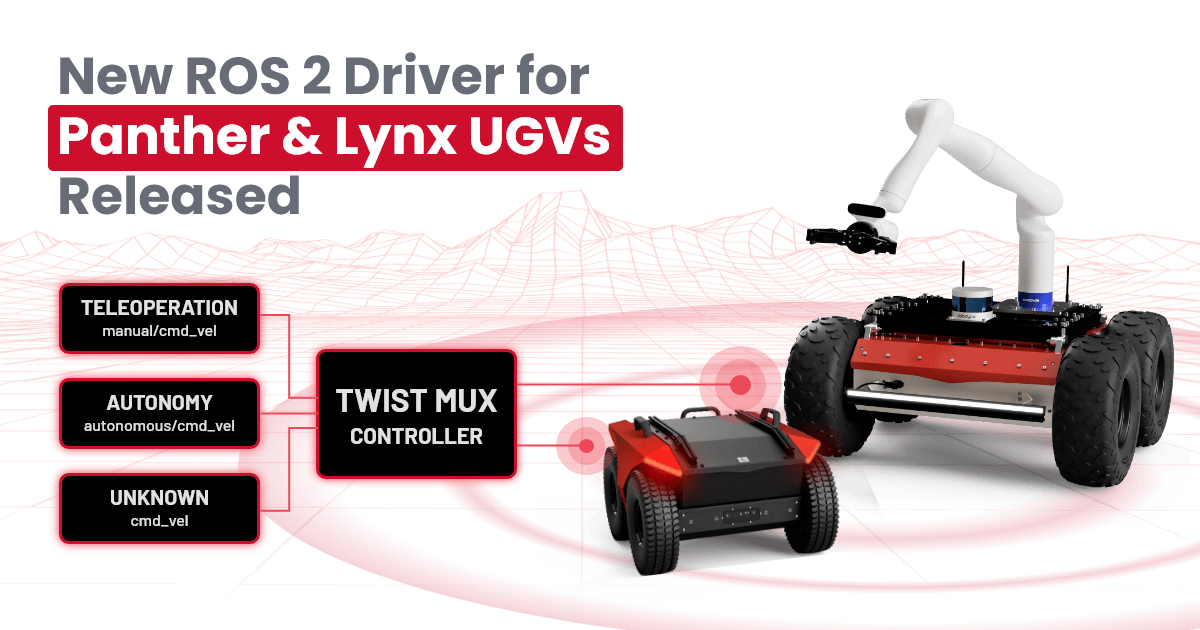
Introducing the Twist Mux Controller
We are excited to introduce a major architectural upgrade to the Husarion UGV ROS 2 driver: the Twist Mux Controller. Unlike traditional twist multiplexers that run as standard ROS 2 nodes, our Twist Mux is a custom, chainable ros2_control controller. By bypassing the standard ROS 2 topic-processing pipeline, it eliminates node-to-node communication latency. The result? More deterministic, reliable, and faster command handling right at the controller level.
The controller manages multiple command velocity inputs based on a strict priority hierarchy, ensuring the robot always responds correctly to the most critical input. The default configuration includes three command sources:
- Teleoperation (
manual/cmd_vel): The highest priority source, allowing an operator to immediately override any autonomous behavior for manual control. - Navigation (
autonomous/cmd_vel): The mid-priority source, dedicated to autonomous navigation stacks (like Nav2). - Unknown Input (
cmd_vel): The lowest priority source for unknown inputs, also ensuring backward compatibility with your existing codebases.
Here is the default twist_mux_controller configuration:
twist_mux_controller:
  ros__parameters:
    holonomic: false
    cmd_vel_inputs:
      manual:                 # teleoperation — highest priority
        topic: manual/cmd_vel
        timeout: 0.2
        priority: 100
      autonomous:             # navigation stack (e.g. Nav2)
        topic: autonomous/cmd_vel
        timeout: 0.2
        priority: 10
      unknown:                # fallback / backward compatibility
        topic: cmd_vel
        timeout: 0.2
        priority: 1
    command_interface_linear_x: drive_controller/linear/velocity
    command_interface_angular_z: drive_controller/angular/velocity
Each input has a timeout (in seconds): if a higher-priority source stops publishing within its timeout, control automatically falls through to the next source. The currently active source is published on the twist_mux_controller/source topic (std_msgs/String, one of manual, autonomous, unknown, or not_published) — which is exactly what drives the LED animations described below.
The default configuration can be easily modified to fit your specific use case, allowing you to add more command sources or change the priority order as needed. The full controller source is available in husarion_controllers/twist_mux_controller.
LED Animations Update for Command Velocity Sources
To complement this backend upgrade, we’ve updated the UGV's light animations. The robot now dynamically changes them based on the active command velocity source. You’ll get instant visual confirmation of the robot's state, whether it's under "manual control" or "autonomous navigation", just by glancing at the vehicle.
Manual control animation:

Autonomous navigation animation:

Simulation Improvements
Testing in simulation is a critical part of the robotics workflow. In this release, we've introduced two main enhancements to our Gazebo simulation environment to make testing more realistic and debugging much easier.
Gamepad Teleoperation
You can now use a gamepad directly within your Gazebo simulations. Connect your gamepad to the computer and now you can drive the robot with the exact same gamepad layout used for the physical UGV. Because gamepad steering is inherently smoother and more precise than keyboard inputs, this allows operators to move accurately in simulation and practice teleoperation skills in a risk-free virtual environment.
True State Estimation (Ground Truth)
To assist in algorithm benchmarking, we have added Ground Truth data to the simulation. You can now access the absolute, error-free position and orientation of the robot in the virtual world. This is highly useful for measuring the drift and accuracy of your localization stacks in simulation, and for comparing the performance of different algorithms under identical conditions.
The ground truth data is exposed via two streams:
- A transform (tf) between the
worldandbase_linkframes published to the/tf_gttopic. - A standard
nav_msgs/Odometrymessage published to theodometry/ground_truthtopic.
New LED Animations
We have added two new standard animations to the UGV’s programmable LED system, designed to improve both field diagnostics and operational safety:
-
GOAL_FAILED: This animation can be used to indicate that the robot has failed to reach a navigation goal or complete a task. It is similar to GOAL_ACHIEVED animation with a different color scheme to signify failure. This is particularly useful for quickly identifying issues during autonomous operations without needing to check logs or dashboards.

-
FLOOD_LIGHT: This mode turns the LED into a bright, continuous light source. It can be used to maximize visibility in low-light environments.

For detailed instructions on how to use these new animations, please visit husarion_ugv_lights.
Components Updated
The husarion_components_ros package has received a significant update in this release. We have added a new component and improved existing ones to enhance the overall functionality and performance of the UGV. Some of the key updates include:
- Readable Component Names: Components can now be selected by intuitive, human-readable names instead of only the historical short codes, making
components.yamlself-documenting. Both forms resolve to the same component, so existing configurations keep working unchanged:
components:
  - type: rplidar_s3   # readable name (recommended)
  # - type: LDR06      # historical code — still works
For example, zed_x (was CAM06), ouster_os0_128 (was LDR12), and orbbec_astra (was CAM01). See husarion_components_description for the full name/code list.
- New Rack Component: You can now programmatically build and visualize custom payloads using multi-v-slot rail structures. This allows you to better visualize, both in RViz and Gazebo, the actual configuration of the robot using its URDF model.
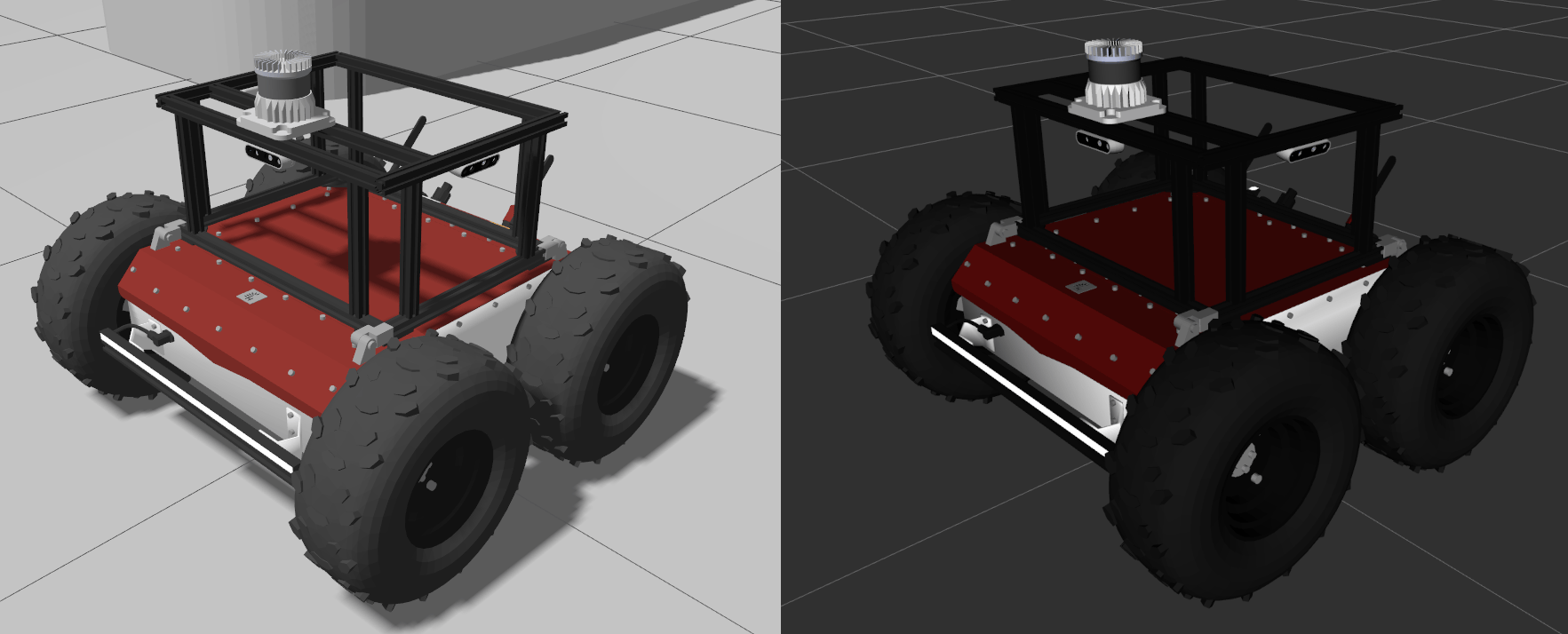
- New Custom Component: Allows to attach custom components to the robot's URDF model. This is particularly useful for adding new sensors that may not be included in the standard components list. The new custom component can be easily defined in the
components.yaml.
components:
  - type: custom
    package: my_cool_package
    file: urdf/my_sensor.urdf.xacro
    name: my_sensor
    parent_link: mount_link
    xyz: 0.18 0.0 0.0
    rpy: 0.0 0.0 0.0
- Improved Visuals: The visual representation of the Ouster LiDARs, ZED Cameras, Wibotic receiver and station components has been improved to better reflect their real-world counterparts.
Summary
This release marks a major step forward in making Husarion UGVs more capable in terms of performance, usability, and functionality. The introduction of the Twist Mux Controller provides a more efficient and reliable way to handle command velocities, while the simulation improvements and new LED animations enhance the overall user experience. The updated components in the husarion_components_ros package further contribute to making our UGVs more versatile and easier to configure. For the full list of changes, please refer to the Jazzy 2.3.2 release notes.
🛠️ Ready to upgrade?
Check out our Driver Version Management, or if you need a full system upgrade, the Operating System Reinstallation Guide. Give the new features a try, and let us know how the Twist Mux Controller performs on your fleet!